




English · Türkçe · Read the guide →
Step by step ·
Quick start ·
/adopt ·
How it works ·
Board ·
Guardrails ·
Commands ·
License
---
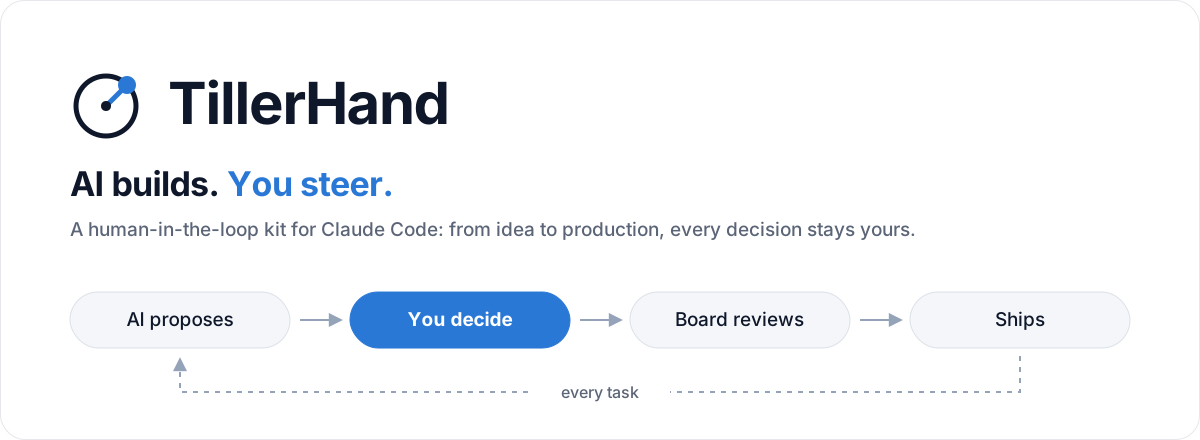
**TillerHand** is a starter kit that takes a product from idea to production and maintenance with [Claude Code](https://claude.com/claude-code). The AI writes the code; **you make the decisions**. At every important step it lays out the options, when each one is the better choice, and what it recommends. An **expert board** reviews the work, **guardrails** stop dangerous actions before they happen, and the project always stays in a **clean folder structure**.
> **Language first.** `/start` and `/adopt` open with one question: which language should the AI talk to you in? Turkish, English or any other. From then on questions, answers, reports, the dashboard and the status line come in that language; `/language` changes it later. Everything the kit ships (commands, rules, agents, hooks, document templates) is written in English, the Turkey add-on included. Turkish interface texts ship in `.claude/i18n/tr.json`; labels and keys in project files stay English in every language, because the tools read them.
| | |
|---|---|
| **Question-driven** | Product, technical, design, data, security and cost decisions come as reasoned options. Design questions come with visual previews. |
| **In your language** | The first question is the language. Questions, answers, documents, the dashboard and the status line then come in that language; `/language` changes it. |
| **Expert board** | Product, Architect, Security, UX, Privacy, QA and other members review the plan, each task, each commit and each phase. |
| **A separate agent writes the tests** | Acceptance and adversarial tests are written before the code by a separate agent, not the one writing the code, and they start red. The coder can't touch test files, and a test changed by indirect means can't get into a commit. Nothing is called done without proof that it works. |
| **Specs and drift checks** | Larger tasks and every bug get a spec of current, expected and must-not-change behavior; if a must-not-change behavior has no test, the gate is red. |
| **Findings reports** | The top 20 findings for tech, business, security, UX, performance and legal; scored, with how to fix them. |
| **Guardrails** | Secrets, destructive commands, unapproved prod deploys, weakened tests and stray files are stopped before they happen. |
| **Live preview** | For UI tasks the dev server is started and desktop and mobile screenshots are taken; `/qa` runs the acceptance criteria in a real browser. |
| **Launch and after** | `/release first` walks you through hosting, domain, backups and rollback, provider by provider. Web and backend projects get a smoke test against the live site every 3 hours. |
| **Turkey add-on** | Optional. Signature checks for iyzico and PayTR notifications come with an adversarial test; the KVKK cross-border transfer, e-Invoice/e-Archive and Turkish İ/ı items each link to a primary source. |
| **Dashboard** | `dashboard.html`: status, what needs attention, decisions, board, findings, quality, operations, usage; commands copy with one click. |
| **Usage-aware** | Reads the 5-hour and weekly limits and plans work around them. It warns; it never stops the work. |
| **Sourced facts** | Anything that changes (versions, prices, regulations) is checked against a primary source, with link and date. |
| **Rollback** | `/rollback` returns to the last working state; history is kept, unfinished work is saved. |
| **Narrator mode** | Optionally explains every change in plain language, as if to someone who doesn't code. |
| **Learns how you work** | Picks up how you like to work (tone, questions, reports, code style). Preferences you approve apply to all your projects and stay on your computer. |
| **Model per role** | You pick the model and effort for planning, coding, testing, review and docs in a local panel (`/models`), and for any single job if you want. The panel also shows your usage, with your Claude plan and external models kept apart. Commands no longer stop to ask; each run shows the model in one line. Tests come from a separate agent; for security, payment or data-deleting work, Opus is suggested so they do not share the coding model's blind spots. |
| **Learns from bugs** | When the same kind of bug comes back, it proposes one rule to prevent it; the rule is added only if you approve. |
## Step by step for beginners
You don't need to know how to code. Claude handles git, the terminal and installs; you describe what you want and make the choices.
**1. Setup (once)**
- Accounts: [GitHub](https://github.com) (free) and a Claude **Pro** or **Max** subscription.
- Apps: the [Claude desktop app](https://claude.com/download), [Node.js](https://nodejs.org) (LTS), [Git](https://git-scm.com/downloads).
**2. Create your project**
1. Make a folder for your project and select it in the **Code** tab of the Claude desktop app.
2. Install the kit. Pick one:
- Tell Claude: `run npx tillerhand init in this folder`.
- If you've [installed the TillerHand plugin once](#quick-start), type `/tillerhand:init` to Claude.
3. **Start a new session** in the same folder. The kit's commands and guardrails load in the new session.
**3. Start**
```
/start An invoicing and payment tracker for freelancers
```
The first question is the language: Turkish, English or another one. Claude then talks to you in that language and asks its questions one by one. **The first option is always the recommended one**; pick it if you're unsure. Already have a project? Type `/adopt` instead of `/start`: Claude scans the code, derives the docs from it and brings the project into the kit's structure step by step.
**4. Every day**
| When | What to type |
|---|---|
| Trying a feature | `/try` (a quick slice you click on your own computer) |
| You like it | `/lock` (reviews the code, hardens it, merges it) |
| Small change | `/tweak` (text, style, a small fix) |
| Two independent tasks at once | `/parallel` (each in its own worktree session) |
| Other work | `/build` (picks up the next task and tests it) |
| Checking status | `where are we?` or `/dashboard` |
| Something breaks | `/rollback` |
| Stopping | `/wrap-up`, then `/clear` |
**Good to know**
- **Limits:** Pro has 5-hour and weekly limits. Claude warns at 90%, 95% and 99%; if a limit runs out, continue with `/build` once it resets.
- **Approval:** Database, design and cost decisions are never made without asking. Deleting data, payments and going live always need your approval.
- **Handoff:** Leaving the project to someone else? Use `/handoff`; they continue from the same point with `/handoff take`.
## Quick start
**Requirements:** [Claude Code](https://claude.com/claude-code), Git, Node.js 18+
There are three ways to install. All three set the kit up in the project the same way; pick one.
**1. npm (recommended):** the shortest path from a terminal.
```bash
mkdir my-app && cd my-app
npx tillerhand init
claude
```
**2. Claude Code plugin:** install it on your computer once, then one command in every new project. The plugin only runs the install; the kit is still copied into the project as files, and each run fetches the latest version.
Once, in Claude Code (if `/plugin` doesn't open in the desktop app, run `claude plugin marketplace add …` and `claude plugin install …` in a terminal instead):
```text
/plugin marketplace add burakdogrul/TillerHand
/plugin install tillerhand@tillerhand
```
In every new project, in a session opened in the project folder:
```text
/tillerhand:init
```
**3. git:** to read, change or contribute to the kit source. The kit stays in a `vibe-kit/` folder inside the project and goes into `.gitignore`.
```bash
git clone https://github.com/burakdogrul/TillerHand.git vibe-kit
node vibe-kit/kit/kit.mjs init
```
- On first launch Claude Code offers to install the kit's skill plugins; accept.
- Kit in another folder: `node /kit/kit.mjs init --project `.
- For Codex or Antigravity: `npx tillerhand init --tool codex` (several: `--tool claude,codex`).
- Recommended: a code map ([codebase-memory-mcp](https://github.com/DeusData/codebase-memory-mcp)). The AI queries the code instead of reading it file by file, which saves tokens. `/start` offers to install it.
## Existing project: /adopt
If you already have code, the install is the same and only the first command changes. Run `npx tillerhand init` in the project root (your files are not overwritten; a conflicting kit file is placed next to yours as `.kit-new`), start a new session and type `/adopt`.
1. **Scans:** stack, folder layout, test status and git history. Your code on `main` is not touched.
2. **Derives docs from the code:** PRD, stack and architecture are drafted; you're asked what you don't like, and rules from your old `CLAUDE.md` are moved to `AGENTS.md` one by one with your approval.
3. **First try:** one thing you don't like is tried on a `try/*` branch. When you like it, `/lock` hardens it and finishes the plan below.
4. **Tests for critical flows:** you're asked how flows like sign-in or payment should behave; the tests follow your answer, not what the code does today.
5. **Alignment roadmap:** a safe foundation, then the structure is moved feature by feature on the `adopt/structure` branch, then the findings. Small fixes go through `/tweak`, new features through `/try` and `/lock`.
## How it works
```mermaid
flowchart LR
A["/start
idea → first screens"] --> B["/try
click it, change it"]
B --> C{"Each feature"}
C --> D["/try
fake parts, your computer"]
D --> E["/lock
review, tests, real parts"]
E --> F["/review-changes
+ commit gate"]
F --> G["/wrap-up"]
G --> C
C -->|"end of phase"| H["/findings-*
/board convene
/retro"]
H --> I["/release first"]
I --> J["/maintain"]
```
**The `/start` wizard** turns an idea into a plan in nine steps. You click the first version after step 4; `/lock` runs the rest:
| Step | What happens |
|---|---|
| 0 Setup | Profile, planning depth, dashboard, limits |
| 1 Idea | The idea is challenged and a PRD is written |
| 2 Type | Web/SaaS, mobile or backend; any AI features |
| 3 Install | The chosen type and folder map are put in place |
| 4 Stack | The type's decision catalog: database, auth, hosting… |
| 5 Architecture | Data model, roles, services, unit economics |
| 6 Board | The expert board is set up (cost is shown first) |
| 7 Design | Style, color and type chosen from visual previews |
| 8 Roadmap | Prioritized tasks, each led by its acceptance tests |
| 9 Wrap-up | Summary and the first task |
**Decision protocol:** Each decision point offers 2-4 options; the recommended one comes first, and each option says when it's the better choice and what it costs. For decisions that are hard to reverse (database, auth, payments, data model) the board weighs in first. Decisions are logged in `docs/decisions/log.md` and never asked twice.
**Project memory:** The AI keeps notes, person cards and a one-line receipt for each session, and searches them when you ask "what did we decide about X". A short block comes in at session start and a few lines before a message on a strong match, always fenced as data, never as instructions. Personal memory stays in `.claude/state/memory/`, out of git; only notes you mark `project` go to `docs/memory/`. Secrets, ID numbers and sensitive data are refused; `[no-memory]` in a message keeps that session out.
## Expert board
Board agents are generated for your project based on its type. The board advises; if it raises a critical finding (a veto), the work isn't done until you decide.
| Type | Suggested board |
|---|---|
| Web / SaaS | Product · Architect · Security · UX · Performance · Privacy · QA |
| Mobile | Product · Architect · Security · UX · Mobile Platform · Privacy · QA |
| Backend | Product · Architect · Security · API · DevOps · QA |
| Meeting | When |
|---|---|
| Plan | End of `/plan-task` |
| Task review | End of `/build` |
| Commit | Every commit (light, diff only) |
| Phase end, launch | `/board convene`, `/release first` |
For important decisions a **council** runs: different models answer the same question independently, rank each other anonymously, and a chair writes the outcome. Code does the counting; the final call is still yours.
## Findings reports
Scans the project through an expert's eyes and writes the **top 20 findings** with evidence, a 0-100 score and a fix to `docs/findings/`. Each report is compared with the previous one and shown as a trend on the dashboard.
| Command | Perspective | Example finding |
|---|---|---|
| `/findings-tech` | Senior architect | N+1 queries, duplicated authorization checks |
| `/findings-business` | Industry expert | Missing refund rule, a feature competitors treat as standard |
| `/findings-security` | Attacker | IDOR, a key leaked to the client |
| `/findings-ux` | UX researcher | No empty state, low contrast |
| `/findings-perf` | Performance and FinOps | Large bundle, unbounded AI cost |
| `/findings-legal` | Compliance expert | Missing consent, personal data not in the inventory |
| `/findings-all` | All of them, in parallel | One summary and a shared fix plan |
## Project structure
Every project starts in this layout and stays in it. Code is organized by feature: everything for a feature lives under `features//`.
```
.
├── .claude/ # commands, agents, hooks, board, folder map
├── .github/ # CI, Dependabot
├── docs/
│ ├── product/ # PRD, roadmap, glossary, launch
│ ├── architecture/ # overview, stack, structure
│ ├── decisions/ # decision log and ADRs
│ ├── quality/ # test plan, metrics, retros
│ ├── security/ # security checklist
│ ├── operations/ # release, deploy setup, maintenance, accounts
│ ├── memory/ # shared project memory notes
│ └── findings/ # findings reports
├── src/ or app/ # feature-based code
├── tests/
└── AGENTS.md · CLAUDE.md · README.md · CHANGELOG.md
```
A new file outside the map is asked about, clutter like `*.bak` and `*-old.*` is blocked, and CI checks the structure on every PR.
## Guardrails
| Guardrail | What it does |
|---|---|
| Secret guard | Blocks API keys written into code or docs |
| Destructive-command shield | Blocks `DROP`, unconditional `DELETE`, `db reset` and cloud data deletion; asks before prod deploys, rollbacks and publishing; `rm -rf` is blocked, and `clean.mjs` clears git-ignored dependency and build folders |
| Package gate | Blocks packages that don't exist (on install, on `npx`, `uvx` runs and in dependency files); asks about very new ones, lookalikes of popular ones and sources it can't check (git, URLs, other registries) |
| Structure guard | Asks about files outside the map, blocks clutter files |
| Test separation | Only the `test-writer` agent writes test files; the main session and the coding agent are blocked |
| Test guard | Asks before a test is deleted, skipped or weakened |
| Deterministic gate | No commit until lint, type check, tests and Semgrep have run; catches machine-specific paths written into code |
| Commit gate | No commit without a board review and a green gate; a test file changed by a patch or a script stops it too; if you changed it by hand, `--accept-tests` accepts it and the review still runs; merge, revert and other commands that make commits are asked; `/try` rounds need no review, `/lock` reviews the whole slice, and moving `main` without a commit is asked |
| PDF guard | A whole PDF is not read into the context: `document-to-markdown` converts it first; a scanned page or a chart is read with `pages` |
| Edit lock | With `/freeze ` on, the AI writes only inside that folder |
| Scope shield | Asks before writing to a file outside the approved plan |
| Config approval | Rule and guard files never change without your approval |
| Dev/prod split | The AI and the local setup connect to the dev database only |
## Commands
| Command | What it does |
|---|---|
| `/start [idea]` | Nine-step kickoff wizard |
| `/adopt` | Brings an existing project into the kit with an alignment roadmap |
| `/plan-task [task]` | Asks the decisions, plans with the board |
| `/try [what]` | A quick slice to click, on its own branch with fake parts |
| `/lock` | Keeps the tried code: review, tests, real parts, merge |
| `/build [task]` | Acceptance tests first, then code, proof and board review |
| `/design` | Design decisions with visual previews |
| `/review-changes` | Independent review and security agents |
| `/tweak [change]` | A small, low-risk change: up to 2 files and 30 lines, no plan or subagent, gate green |
| `/parallel [merge ]` | Picks independent tasks and gives the start command for a worktree session each (`claude -w ` or the desktop Worktree switch). `merge` brings a finished one into `main`: a PR with GitHub, a local `--no-ff` merge without it |
| `/fix-bug [symptom]` | Root cause, red test, fix |
| `/qa` | Runs the UI criteria in a real browser |
| `/findings-` | Findings reports |
| `/board` | Sets up and convenes the board; `council ` runs the council |
| `/dashboard` | Dashboard |
| `/rollback` | Returns to the last working state |
| `/freeze ` | Locks edits to one folder |
| `/wrap-up` | Closes the session and saves progress |
| `/release [first]` | Launch checks; `first` also walks you through hosting, domain, backups and rollback |
| `/maintain` | Weekly, monthly and quarterly maintenance |
| `/retro` | Writes lessons back to the project and the kit |
| `/handoff` | Hands the project over or takes it over |
| `/kit-update` | Updates the project to the latest kit |
| `/kit-remove` | Removes the kit from the project; keeps the files you wrote or changed |
| `/language` | Changes the conversation language |
Every command, setting, tool and skill is in the **[guide](https://burakdogrul.github.io/TillerHand/kit/guide.html)**.
## External models
With `/models` you choose which model does which job. You can add any provider that accepts the Anthropic Messages format, and any job can run on a model you added. Every job shows a level (easy, medium, hard), so you can match the model to how much reasoning the job takes. Available in Claude Code; Codex not yet, Antigravity not supported.
The panel opens with `/models`, or with `node .claude/hooks/models-panel.mjs` from a terminal. It is a local page with three tabs. **Usage** shows your Claude plan and each external model separately, by day and week. **Jobs** lets you pick the model and effort for every job and shows each job's level: easy, medium or hard. **Providers** walks you through four steps: pick a provider, add its key, pick a model, try it. OpenRouter, DeepSeek, Kimi, Z.ai, MiniMax and Qwen are ready to pick; any other provider takes its own address. The panel never takes a key.
**Add a provider and its key.** Run this in a separate terminal from the project folder, never in the chat, with a name you choose:
```bash
node .claude/hooks/models.mjs --set-key
```
It asks for the provider's address, shows you the host, then asks for the key without showing it. The address must be `https` and the provider must answer Anthropic Messages at `/v1/messages` with a Bearer key. To change the address or the key, run it again and enter both. After pasting a key, copy something else: a pasted key stays in the clipboard.
The address and the key are sealed together in the system key vault (Windows DPAPI, macOS Keychain, Linux `secret-tool`), so a key goes only to the address it was entered with. With no vault, external models are not available. System variables and `.env` are not read.
**Add the model.** Once the key is saved, the provider's list opens on the Providers tab. Add a model from it, or write the id exactly as the provider gives it. **Update model lists** fetches the current lists. Prices and context are optional; with no price, a run says its cost is an estimate. Without a browser, use `node .claude/hooks/models.mjs --set docs=/:high`.
**Try it.** The Try button asks the model one short question and asks it to call a tool, because jobs work through tools. The result says what a failure means. Each try goes on your provider bill and counts toward the daily limit.
**Choose it for a job** on the Jobs tab. Every model you added is listed for every job. A model whose provider has no key is shown but cannot be chosen.
**The main job** opens in your own terminal. The whole conversation goes to the provider there, and a job set to a Claude model stops and says so. Your other sessions stay on Claude.
```bash
node .claude/hooks/run-session.mjs
```
**A daily limit is optional.** At the limit the role stops and you are asked. With no limit, the only ceiling is what your provider account allows, so set one in the provider's panel too.
```bash
node .claude/hooks/models.mjs --set-limit 5
```
**Remove a key:**
```bash
node .claude/hooks/models.mjs --remove-key
```
**What the kit does:**
| Part | How it works |
|---|---|
| Proxy | A job runs as a separate process with a throwaway token. A local proxy adds the real key and sends only to the address sealed with it |
| Spend | The proxy counts the spend from the provider's replies and applies your limit if you set one. Unknown prices use a high default |
| Permissions | File tools cannot leave the project. Plan and review jobs on an external model can only read. Docs has no shell, test runs the test command, code runs your approved commands. Hooks still run |
| Refusals | A run stops if the environment turns off certificate checks or adds its own certificates, and `claude` is never taken from inside the project. It also stops if a settings file sends the run to another address |
| Approval | Running a job, opening an external session, saving a key and moving a job to a provider are asked every time |
**What to know first:**
- The provider sees everything the job can see: your code, project rules and notes, the output of allowed commands, the folder path with your user name. What is sent cannot be taken back.
- **The remaining risk:** the vault keeps a key out of files, but a program running as you can still open it. The kit's guards read command text, so they only make that harder. An allowed command such as `npm test` runs code the model wrote, and there is no sandbox. Do not give the code and test jobs to an external model in a project that holds real secrets.
- Claude is recommended for the main job, planning and review: the model that plans or checks the work should not be an outside one. The panel asks for a stronger consent there.
- The address on the panel comes from a plain file, so it can be edited. The line a run prints shows the address the key really went to.
- These models may not work as well as Claude here. Try one on a small job before you rely on it.
## Codex and Antigravity
The kit is built for Claude Code; its rules, commands and guardrails also work in OpenAI Codex and Google Antigravity. There the board runs on a single model, and the question UI and status bar are not available; the commit gate works there too. These tools don't report which agent is running, so test separation stays a written rule there. Install with `node /kit/kit.mjs init --tool codex` (or `antigravity`).
## Measured
The same tasks were run with and without the kit through `claude -p` and scored with hidden tests (3.18.2, Sonnet, 6 tasks, 24 runs per condition):
- Both conditions passed every hidden test.
- The kit's tests caught **63%** of bugs deliberately injected into the code; the tests written without the kit caught **31%**.
- With the kit, tests came before the code in every run; without it, in none.
## License
[MIT](LICENSE) © 2026 Burak Doğrul
